
Ways to Contact Richard Casino Support
There are four ways to reach the team, all on the official Support page:
| Channel | Availability | Best for |
|---|---|---|
| Live chat | 24/7, after login | Urgent account, payment and bonus questions |
| Email: support@richardcasino.com | 24/7 | Detailed issues, documents, complaints |
| Email form on the Support page | 24/7 | Quick written questions without opening your mail app |
| FAQ | Always open | Standard questions about rules and limits |
Live Chat 24/7
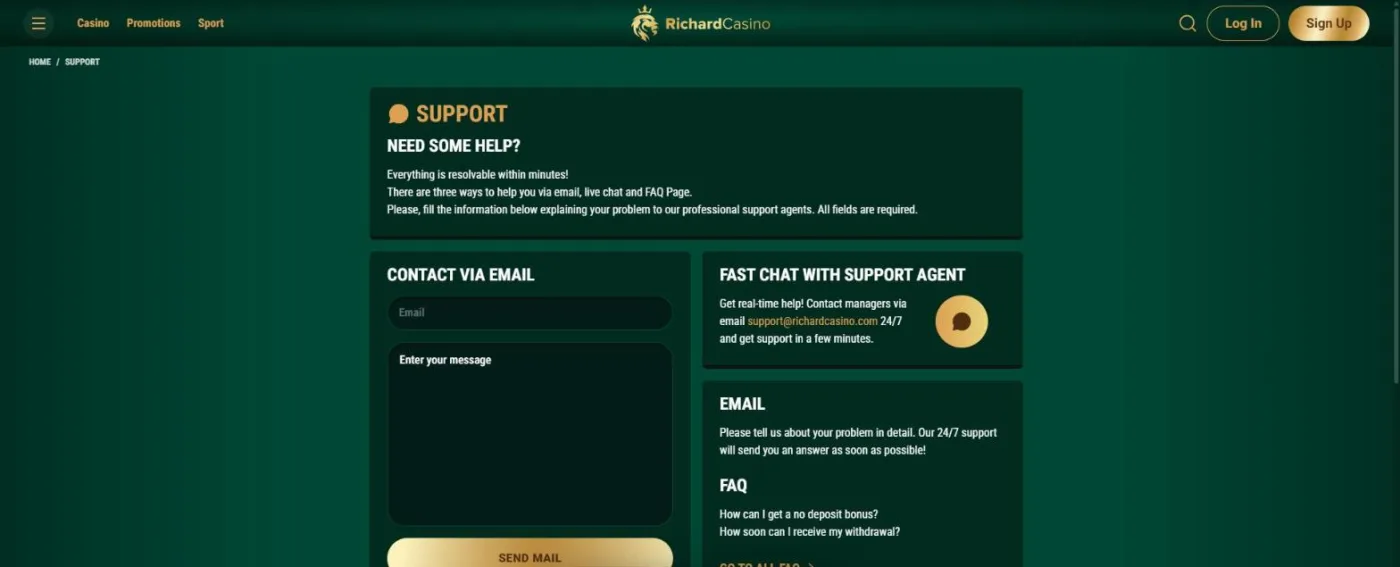
Live chat is the fastest route. On the Support page, press the Fast chat with support agent button. The chat is for registered players: if you are not logged in, the same button opens the sign-up form instead of a chat window.
How to Contact Support via Live Chat
Step 1 Log in
Step 2 Open the Support page
Step 3 Start the chat
Step 4 Describe the issue
Email and the Contact Form
Email suits anything that needs detail or attachments. Write to support@richardcasino.com, which is staffed 24/7, from the address linked to your account so the team can find you straight away.
If you would rather not open your mail app, the Support page has a short email form: enter your email and message, then press SEND MAIL. All fields are required, so double-check the address before you send.
The FAQ Centre
Many answers are already in the FAQ, split into six sections:
- Popular
- Account
- Deposits & Withdrawals
- Bonuses & Games
- Security
- Responsible Gaming
It covers points such as one account per person, the fact that your email cannot be changed, the minimum deposit and withdrawal and the x40 wagering on deposit bonuses.
VIP Manager and Languages
VIP players get a personal VIP manager who contacts them within 24 hours, which is handy for larger withdrawals and tailored offers.
Support works in the same languages as the site: English, Arabic, Norwegian, German, French and Italian. English comes in several regional versions, English (AU) among them.
Which Channel to Use for Common Issues
Picking the right channel saves time:
- Forgot your password: use the reset link in the login window first; the reset screen also has a Need help? Contact Support link.
- Change of name or address: profile data is edited only by support, with documents to confirm the change. Email cannot be changed at all.
- Documents and payouts: if a withdrawal is waiting for KYC, our verification guide lists what to send.
- Limits and breaks: cooling-off and self-exclusion are set through the support chat; read about the responsible gaming tools before you ask.
Support FAQ
Short answers to the questions players ask about support most often.
Is Richard Casino support available 24/7?
Yes. Both the live chat and the email support@richardcasino.com work around the clock.
Why does the chat button open a sign-up form?
Live chat is available to registered players only. Log in first, then press the chat button on the Support page.
Can support change my email address?
No. The email used at registration cannot be changed. Other profile details can be edited by support if you provide documents.
What should I include in a message to support?
Write from the email linked to your account and give the date, amount and game or payment method involved. Screenshots help, and for profile changes attach the documents that confirm them.